 SPHERES日本語

Matryoshka Mind Map
Matryoshka Mind Map — Don't spreadyour ideas.Dig into them.
A nested mind map that lets you dig deep into ideas, notes and to-dos. Child items live inside their parents and you dive in with a swipe. Switch to a classic mind map view, attach Markdown documents and diagrams, use it on iPhone, Android and the web, and connect AI agents over MCP. Free to start.
- Category
- Mind mapping · To-do
- Platforms
- iOS / Android / Web
- Price
- Free (Premium available)
- Released
- 2022.03
 01
 02
 03
 04
 05
 06
 07
 08
Mind maps get messier
the more they grow.
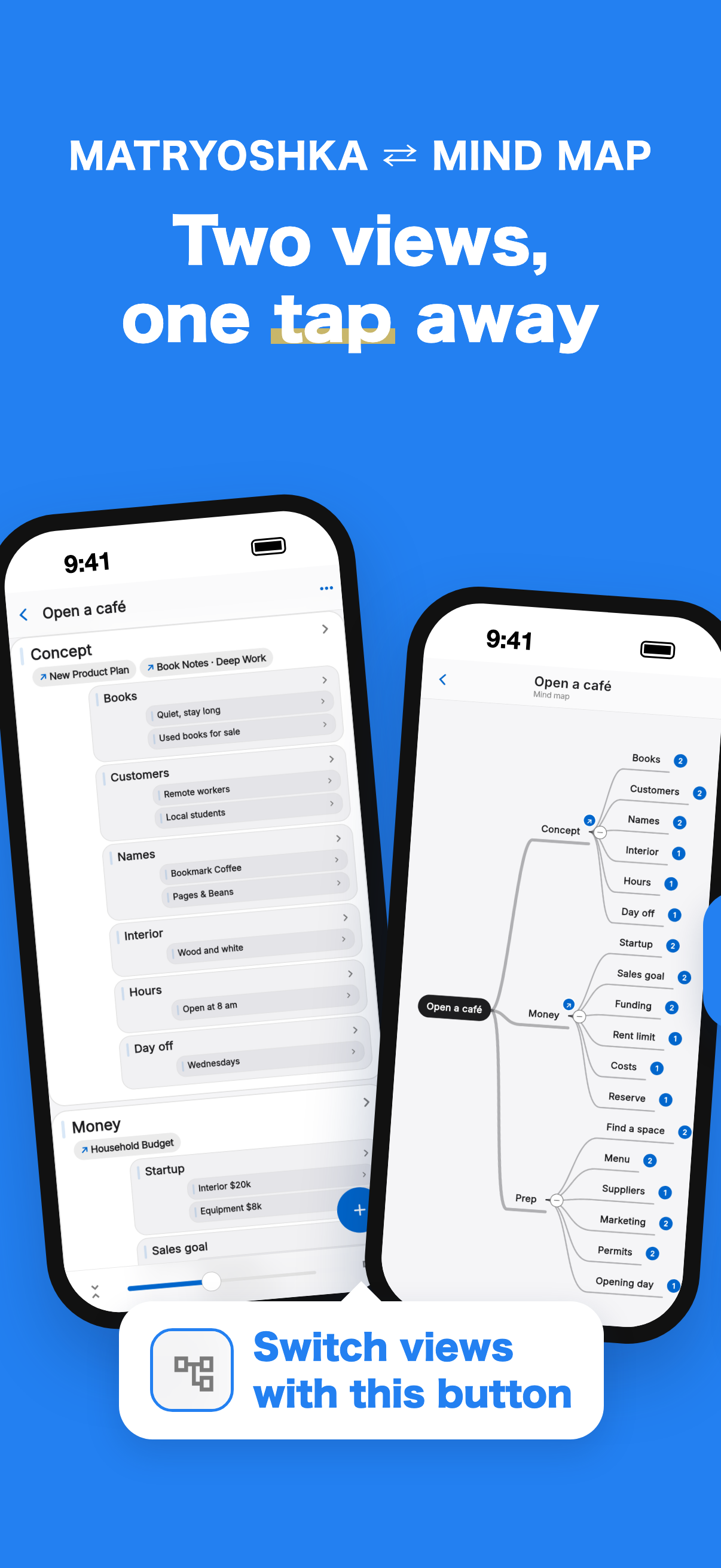
Matryoshka Mind Map draws child items inside their parent card. Like a matryoshka doll, smaller ideas sit inside bigger ones — swipe left and the item under your finger grows into the next level; go back and it shrinks back into place. When you want the big picture, switch to a classic mind map.
- 01
Children live inside their parents
Each level down is smaller and fits inside its parent. However much you add, the screen stays tidy.
- 02
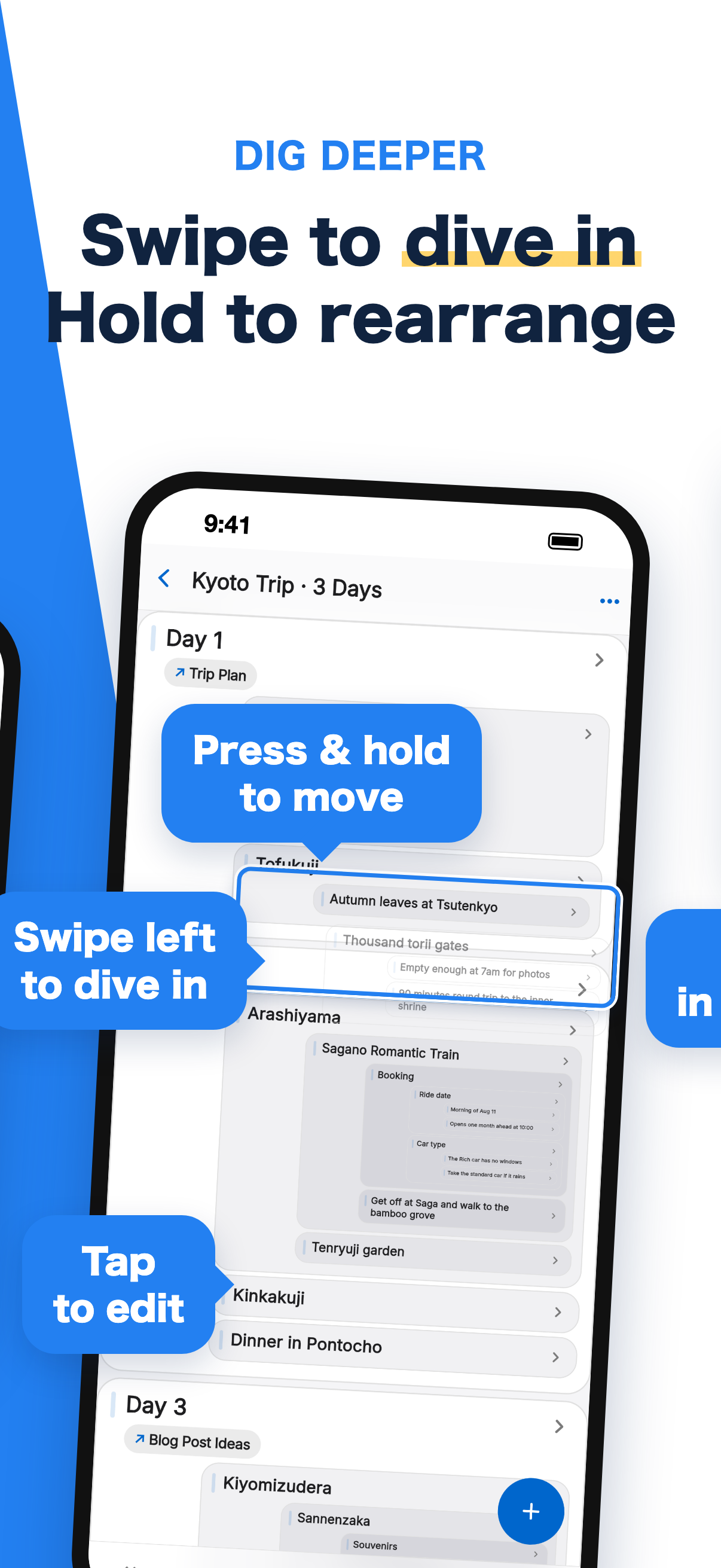
Swipe to dive in
Swipe an item left and it grows into the next level. Even deep structures can be handled one level at a time.
- 03
Always know where you are
However deep you go, you can see which idea you are in. Nested screens show a level number next to the title. Designed for phones — just scroll vertically to read.
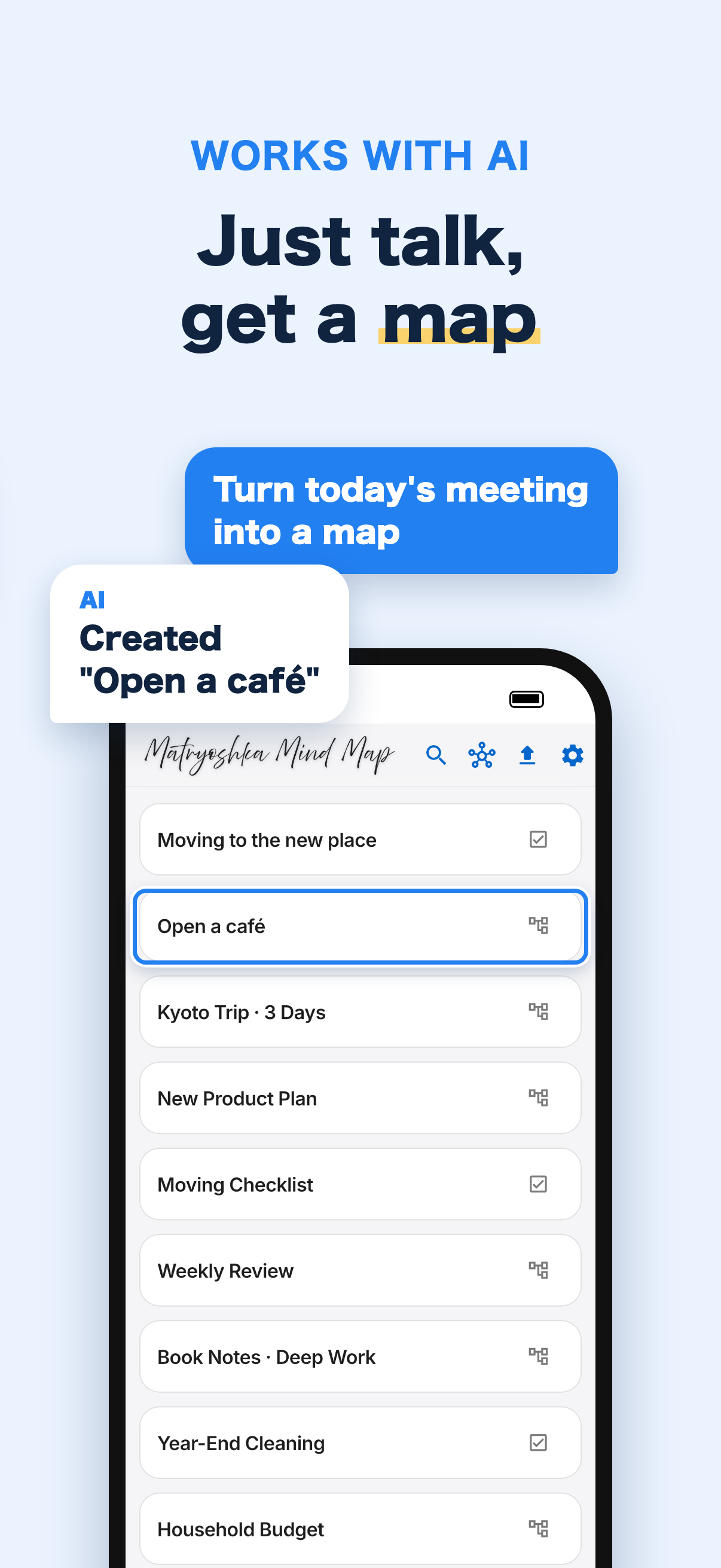
Just talk, and
AI writes it in.
We've released a free companion tool that lets MCP-compatible AI agents like Claude Desktop and Claude Code read and write your maps directly.
Organize what we talked about today into “New Product Plan”
mmmAdded the key points as three branches.
For the move, I'm done with the city hall paperwork
mmmChecked off “City hall paperwork” and its 2 sub-items.
Add the outbound flight on 8/10 at 10:21 to the trip plan
mmmAdded it under “Book flights › Pick a time.”
What it can do
- List your maps instantly
- Turn a structure you worked out in conversation into a map
- Check off to-dos when you say “I'm done”
- Pour in long notes or Markdown and nest them
- Read the documents attached to your maps, or create new ones
- Asks for your permission before reading a map's contents for the first time
Privacy
Your AI agent's requests are carried out by our MCP server as you, only when asked. Map contents are never stored on the server, and the developer never views them. See “Privacy” below for details.
Setup guide (GitHub) ↗Reshape the hierarchy
with your finger.
No need to hunt for buttons. Every change to the structure is a gesture.
- TapEdit the text in place
- Swipe leftDive into that item
- Press and holdGrab to reorder or drop into another item
- Drop on the headerMove up a level (or make a new map at the top level)
- Swipe rightGo back one level
- “>” at the end of a rowDive in with a mouse (e.g. on the web)
A place to keep the nested structure
inside your head, exactly as it is.
- 01
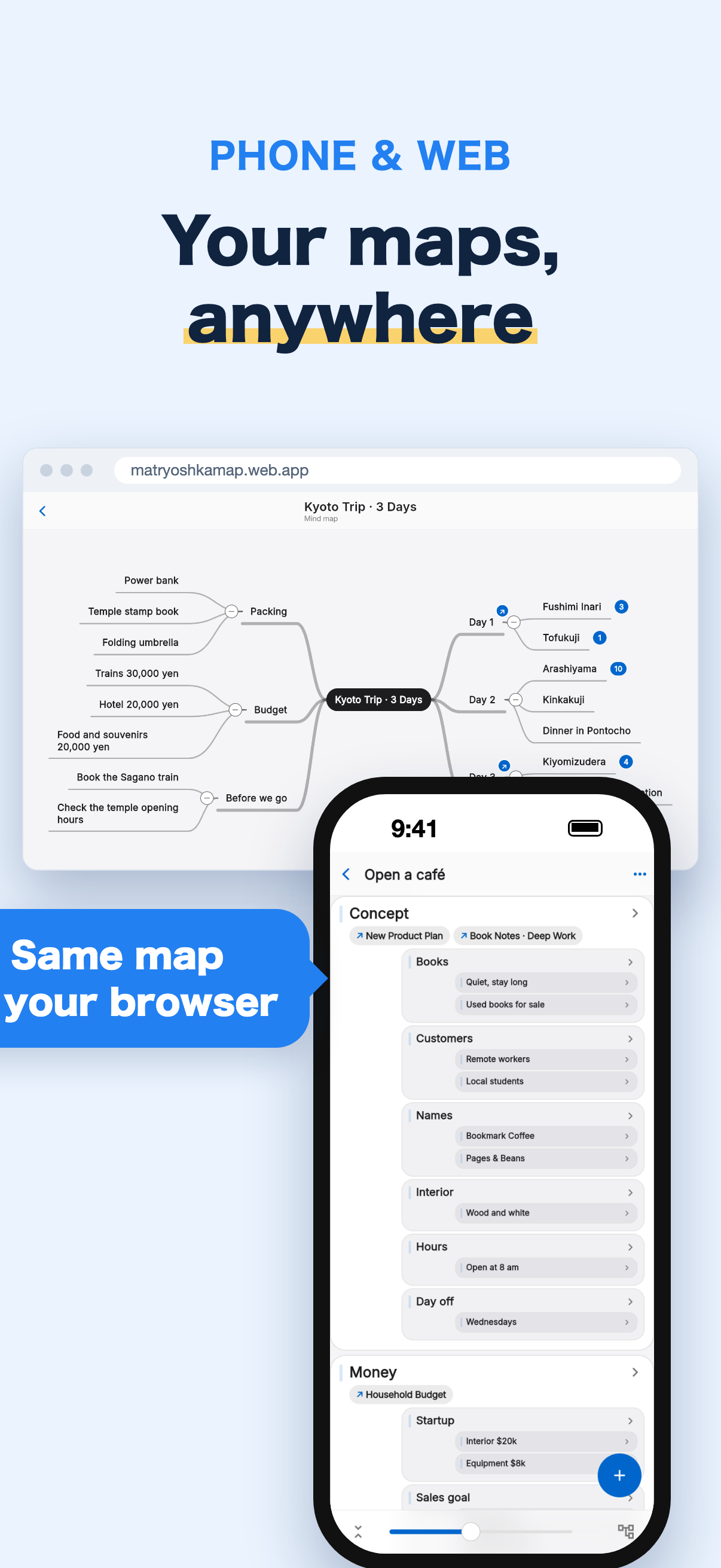
Two ways to see your map
Dig into the nested Matryoshka view, or switch to a classic mind map with branches spreading from the center for the big picture. You can add, edit and delete items in either view.
- 02
Spin off or merge branches
Grab a top-level item and drop it on the header at the top to turn it, with everything inside, into a new map. You can also merge maps back into one.
- 03
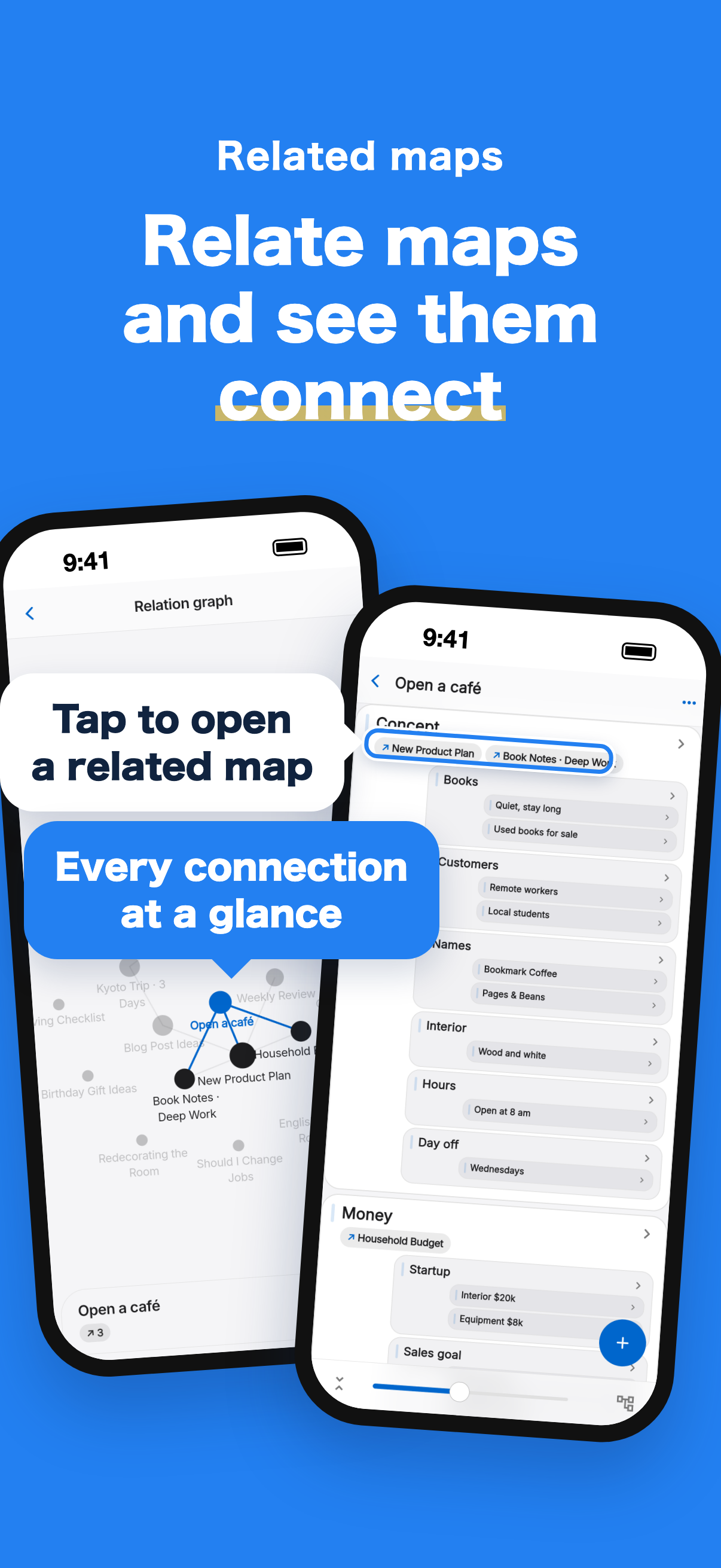
Related maps
- Relate an item to other maps and tap to open them
- On a related map, see which items it is related to
- The relation graph shows how all your maps connect, at a glance
- 04NEW
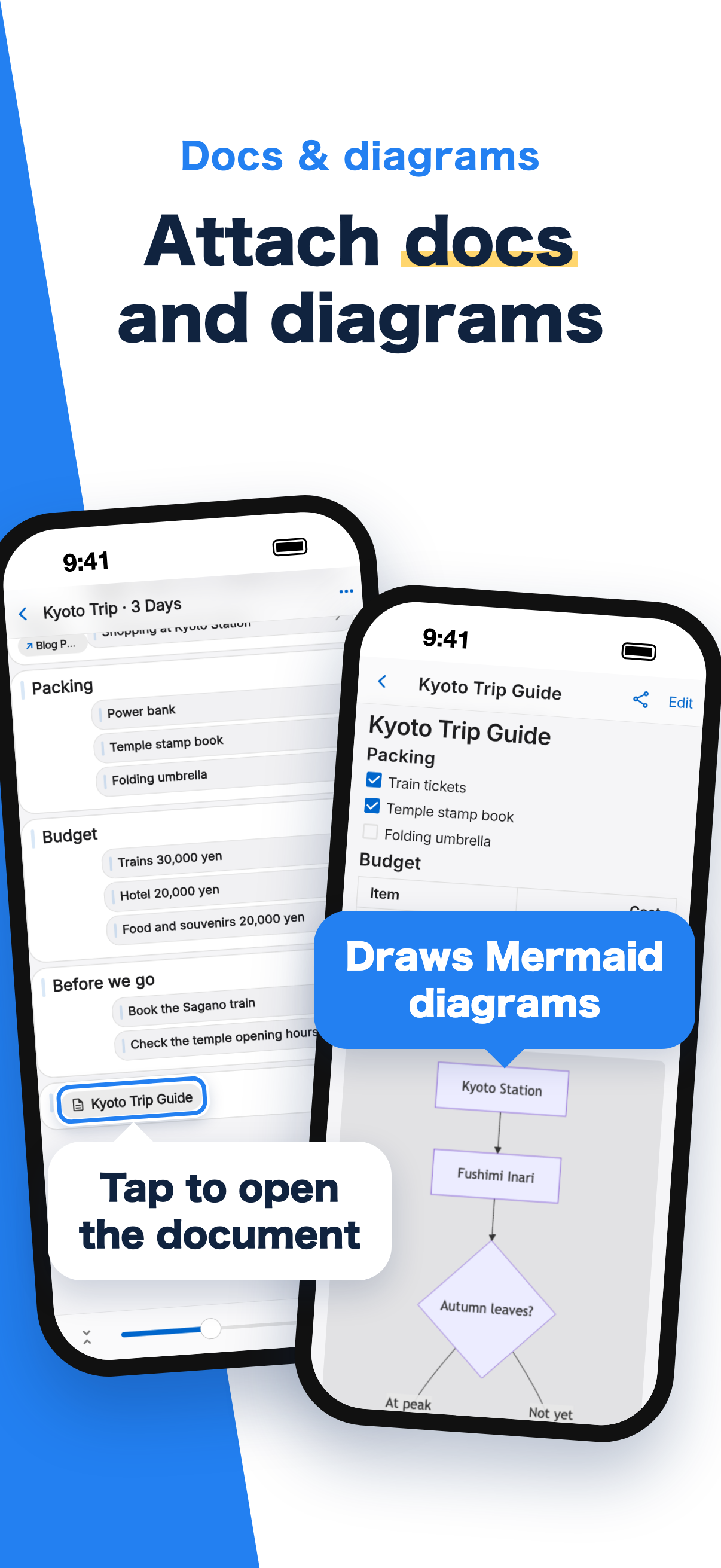
Documents and diagrams
- Add Markdown documents as items: write one in the app or import a .md file
- Shown formatted with headings, tables and checkboxes, with Mermaid diagrams drawn in place
- Share or save them as .md files
- 05
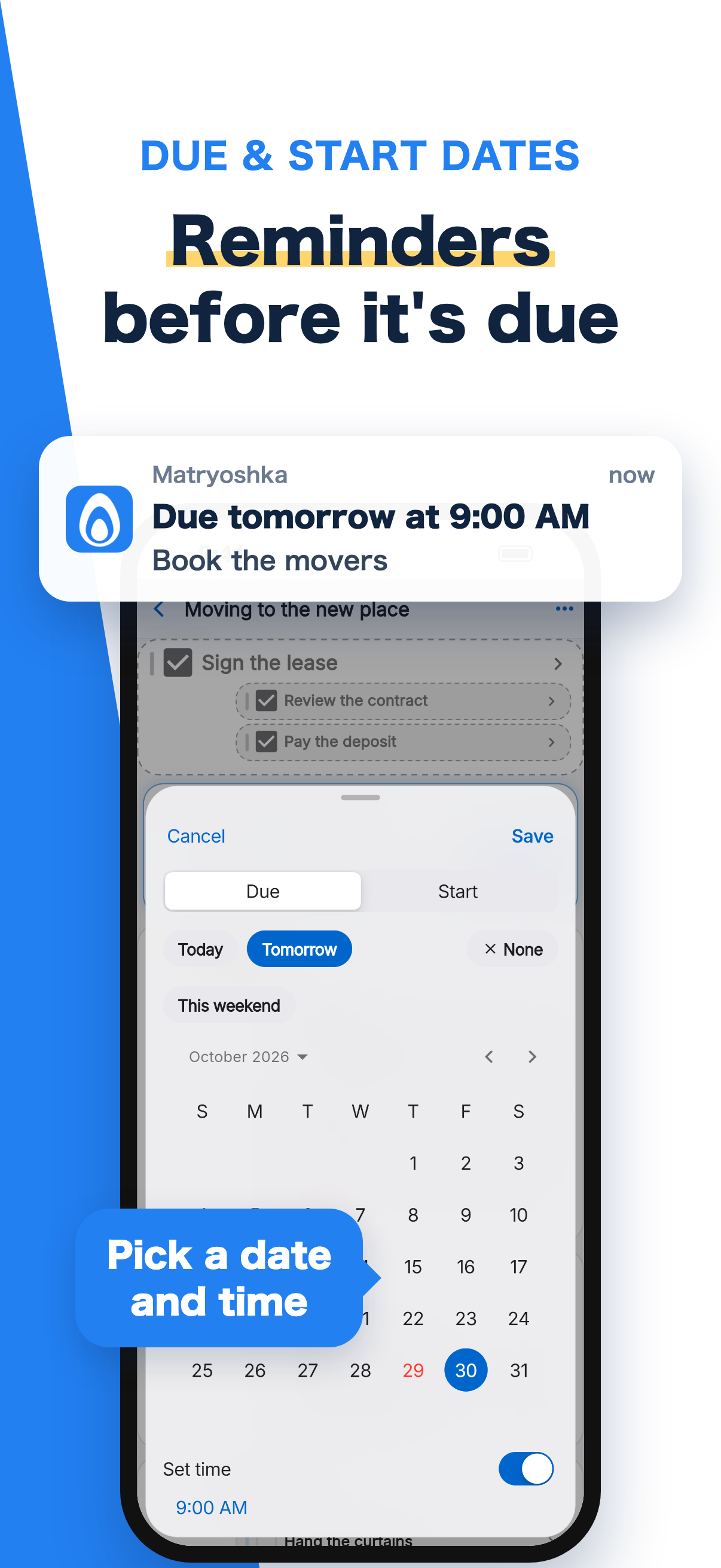
Nested to-dos with reminders
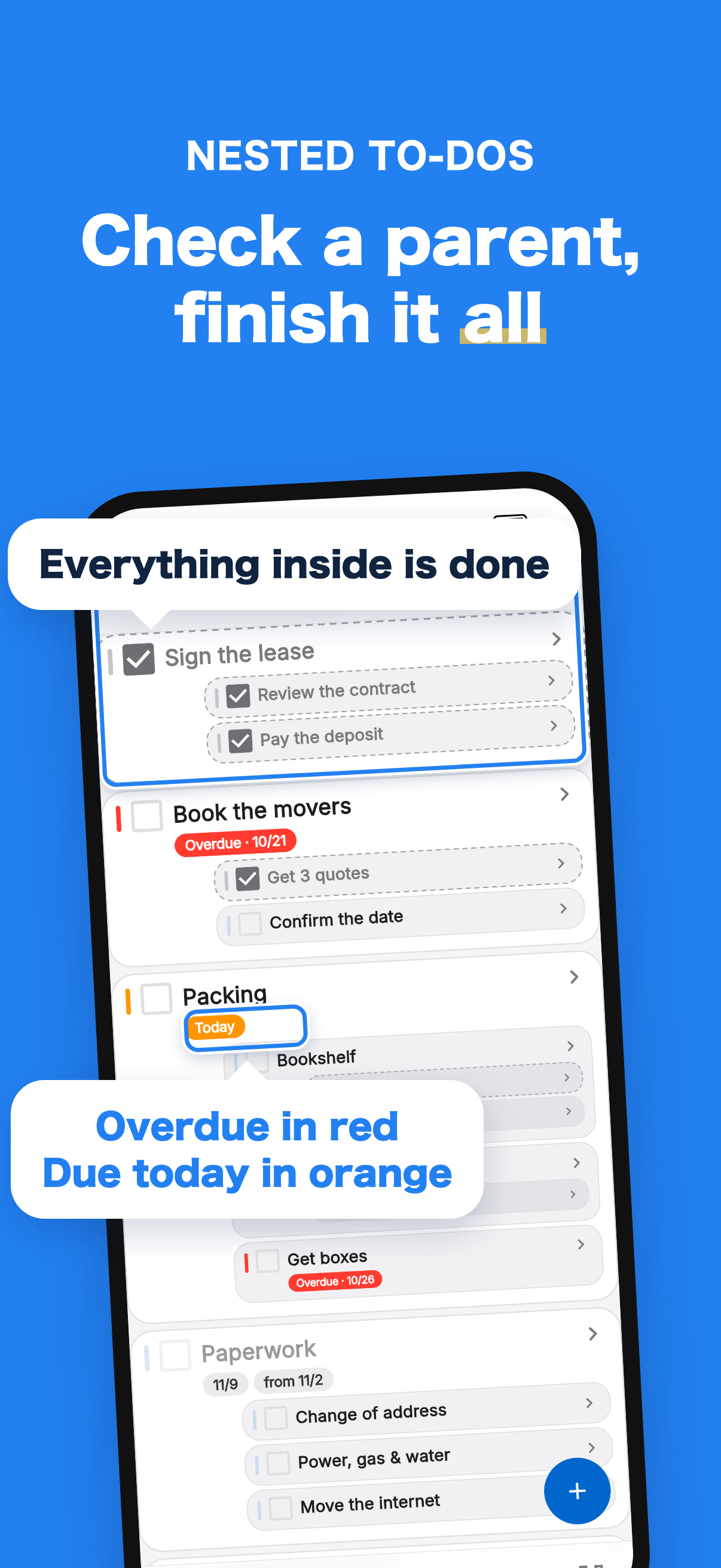
- Choose “TODO” when creating a map and every item gets a checkbox. Checking a parent completes everything inside
- Add due dates and start dates. Overdue and due-today items are highlighted
- Get a reminder before a due date. Tap it to open that item's map
- 06
Share and publish
Edit the same map together just by entering someone's email address, or publish a read-only view to anyone with the link.
- 07
Markdown in and out
- Copy or share as indented text, or as Markdown with checkboxes and due dates
- Paste a Markdown list to import it as a new map
- 08Free
Start without signing up
Start anonymously and link an email address, Google or Apple account later. Available in English and Japanese.
- 09
Search
Search map names and items together.
- 10
Links just work
URLs in items automatically become tappable links.
- 11
Make it yours
Adjust how deep the nesting appears with the scale slider. Dark mode supported.
- 12
Keyboard friendly
Shortcuts for an external keyboard. Press ? for the list.
- 13
Free and Premium
- Free: up to 20 maps with 300 items and 3 documents each (with banner ads)
- Premium (first month free): no ads, unlimited maps, items and documents, and images in your maps (up to 1 GB in total)
- Premium is purchased in the mobile app and also applies on the web with the same account
Privacy
In addition to our Privacy Policy, Matryoshka Mind Map handles information as follows.
Premium (subscription)
- Premium can be purchased through in-app purchase on the App Store or Google Play. It is offered monthly or yearly, and the first month is a free trial.
- Payments are processed by Apple Inc. or Google LLC. We never receive your credit card or other payment information.
- To manage purchase status, we use the services of RevenueCat, Inc. (United States) and send it your account's user ID and purchase records (product, period and status).
- Premium is not sold on the web version. Entitlements purchased in the app also apply on the web when you sign in with the same account.
Due date reminders
- Only if you allow notifications, we send due date reminders using Firebase Cloud Messaging provided by Google LLC.
- To send them, we store your device's notification token, language and time zone. These are invalidated when you sign out.
Image storage (Premium)
- Images you attach to maps are stored in Firebase Storage provided by Google LLC, up to a total of 1 GB per user.
- When you delete a map or an item, the images in it are also deleted at a later time.
Crash reports (iOS and Android apps)
- When the app terminates unexpectedly, we collect crash information using Firebase Crashlytics provided by Google LLC.
- This includes where the crash occurred, device model, OS, app version and your account identifier (including anonymous accounts).
- We do not collect the contents of your maps or items (the text you enter) or your email address.
- This information is used only to investigate and fix bugs, and never for advertising or tracking.
- Crash information is not collected in the web version.
Connecting AI agents (MCP server)
- AI agents such as Claude read and write your maps through an MCP server that we operate (on Google Cloud Run by Google LLC, Tokyo region).
- It works only after you add the connection in your AI agent's app, sign in in your browser with the same account as the app, and click “Allow”. Anonymous accounts cannot connect.
- Once connected, the server reads and writes your maps (stored in Firebase by Google LLC) as you, only when your AI agent asks it to. The same access controls as the app apply, so it can only touch your own maps and maps shared with you.
- Map contents (titles, item text and documents) are never stored on the server or written to logs; they are handled in memory only while being processed. The developer never views the contents of your maps.
- The server stores only a record of the connections you have allowed (which AI agent app; access tokens and similar are stored as hashes) and the number of calls per day (to prevent abuse; deleted after 3 days).
- A record of the days the MCP server wrote to your maps (only the last date and the number of days) is stored in an area of your account that only you can read. The developer uses it only to count the number of users.
- To interpret the times of due dates written by your AI agent correctly, the app stores your device's time zone in an area of your account that only you can read.
- You can disconnect at any time from your AI agent app's settings. Deleting your account in the app also deletes your connection records and call counts.
- Content passed to an AI agent is handled under the terms and privacy policy of that agent's provider (such as Anthropic, PBC).
Information is sent to these providers as entrustment under Article 5, Paragraph 2, Item 1 of our Privacy Policy. These providers are based in the United States, and the information may be handled outside Japan, including in the United States.
Deleting your account and data
You can delete your Matryoshka Mind Map account yourself from within the app.
- Open “Mypage” at the bottom right of the app (or from the menu)
- Tap “Delete account”
- Confirm the deletion in the dialog
Deleting your account immediately removes your account information, such as your email address, and all the mind maps and to-do data you have created. This cannot be undone. No data is retained for any period.
If you cannot do this from the app (for example, because you have already deleted it), please contact admin@spheres.jp.